
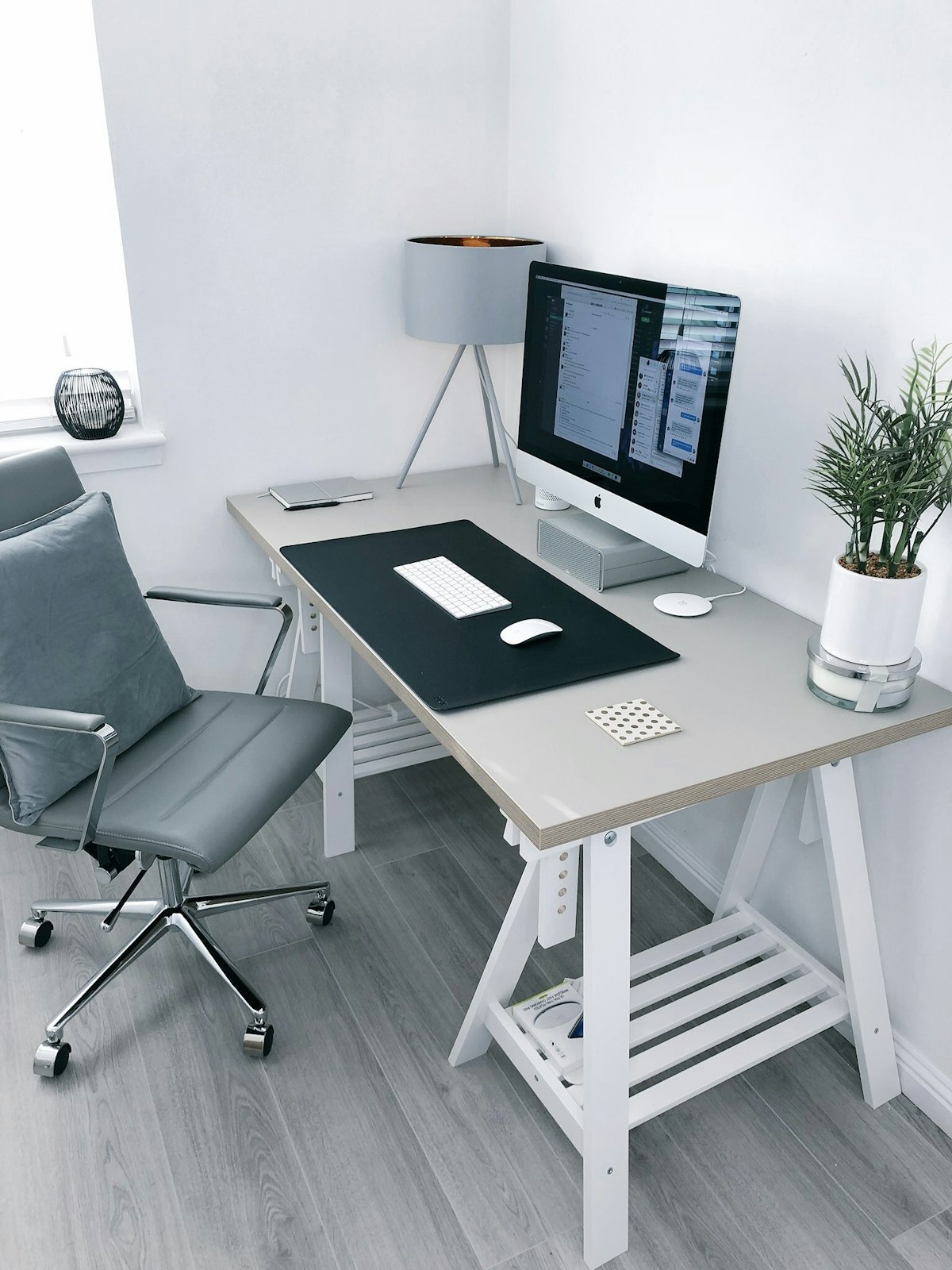
Your desk is not merely a piece of utility furniture; it is the physical cockpit where your ideas, strategic decisions, and creative endeavors take form. When your workspace is crowded with tangled power bricks, reflective plastic surfaces, and harsh overhead glare, your nervous system absorbs a steady current of low-grade visual friction. Over an eight-hour workday, that background noise quietly erodes attention and accelerates afternoon fatigue.
Conversely, a thoughtfully curated desk—grounded in honest natural materials, calibrated ergonomics, warm task lighting, and tactile craft—acts as an environmental cue for deep focus. The moment your hands meet oiled hardwood and brushed aluminum, your mind recognizes a dedicated sanctuary built for deliberate work.
1. The Architectural Foundation: Hardwood, Proportions & Posture
Every enduring desk setup begins with structural honesty and human-scale geometry. Before selecting peripherals or decor, establish a foundation that supports neutral posture across both seated and standing intervals.
Choosing Honest Surface Materials
- Solid Black Walnut or White Oak: Opt for kiln-dried domestic hardwood at least 1.5 inches thick. Unlike hollow-core veneer tops that bow under heavy monitor arms, solid timber absorbs typing vibration and develops a warm patina over decades.
- Natural Hardwax Oil Finishes: Finish the timber with plant-based hardwax oils such as Rubio Monocoat or Osmo Polyx-Oil. These bond with wood fibers to preserve a silky matte feel without the reflective shell of polyurethane.
- Dual-Motor Sit-Stand Frames: Pair your slab with a three-stage, dual-motor steel frame featuring anti-collision sensors and memory presets. Prioritize heavy-gauge steel columns with reinforced gussets for rock-solid stability at standing height.
The Ergonomic Geometry Checklist
- Seated Elbow Angle: Adjust chair height so your feet rest flat on the floor and your elbows form a relaxed 90° to 100° angle with shoulders completely dropped.
- Eye-Level Horizon: Position the top third of your primary display at eye level, roughly an arm’s length (24–30 inches) away, using a gas-spring monitor arm to reclaim desktop real estate.
- Forearm Clearance: Keep at least 6 to 8 inches of clear, cushioned desk surface in front of your keyboard so your forearms rest lightly without compressing the carpal tunnel against a sharp edge.
2. Concealed Cable Architecture: The One-Cord Rule
Nothing undermines the serenity of an heirloom hardwood desk faster than a silhouette of dangling black cords beneath the frame. Achieving visual calm requires treating cable routing as hidden architectural infrastructure rather than an afterthought.
- Under-Desk Steel Raceways: Screw a deep, ventilated steel cable tray directly into the underside of the desktop. House your surge protector, Thunderbolt dock power brick, and excess monitor leads inside the tray.
- Single-Cable Docking: Connect your laptop to a hidden Thunderbolt 4 dock mounted beneath the desk. A single braided cable emerging from a recessed grommet delivers 96W power, dual-display output, ethernet, and audio simultaneously.
- Magnetic Spine Management: Route the sole AC power cable from your under-desk surge protector down a weighted magnetic cable spine attached to the desk leg. Whether seated or standing, the silhouette remains completely uninterrupted.
3. Tactile Pleasure: The Custom Mechanical Keyboard & Analog Anchors
Typing is the primary physical ritual of knowledge work. Replacing a hollow, mushy membrane keyboard with a precision-engineered mechanical board transforms thousands of daily keystrokes into a grounded sensory pleasure.
Anatomy of a Refined Daily Driver
- Gasket-Mounted Aluminum or Brass Chassis: Silicone or poron gaskets isolate the internal switch plate from the outer case, softening bottom-out impact and eliminating metallic ping.
- Lubricated Switches & Thick PBT Keycaps: Factory- or hand-lubed linear switches (such as Gateron Oil Kings or Boba U4T tactiles) paired with 1.5mm dye-sublimated PBT keycaps produce a muted, resonant acoustic signature—deep and warm rather than clacky.
- Analog Counterweights: Balance digital tools with tactile analog anchors. A machined brass fountain pen, a weighted ceramic catchall, and a dot-grid archival notebook keep rapid ideation off your screen and protect cognitive flow.
4. High-CRI Asymmetric Lighting & Acoustic Warmth
Digital eye strain rarely comes from screen brightness alone; it stems from severe contrast ratios between a glowing monitor and a dim surrounding room, compounded by overhead glare.
The Three-Layer Desk Lighting Protocol
- Asymmetric Monitor Light Bar: Mount a high-CRI (>95 Ra) asymmetric light bar (such as the BenQ ScreenBar Halo) atop your display. Its precision optics cast even, shadow-free illumination across your keyboard and notebook while keeping zero stray light on the screen itself.
- Warm Bias Backlighting: Project a soft 2700K–3000K wash onto the wall behind your monitor. This gentle ambient halo lowers eye strain during evening work sessions and adds architectural depth to the room.
- Tactile Desk Lamp: For late-night reading or analog sketching, introduce a sculptural architectural lamp with a matte linen or spun-aluminum shade set to warm tungsten tones.
Acoustic & Material Layering Comparison
| Workspace Element | Standard Mass-Market Choice | Curated Craft Alternative | Primary Ergonomic & Sensory Benefit |
|---|---|---|---|
| Desktop Surface | Laminate particleboard | 1.5” oiled American walnut | Zero glare, warm touch, high structural rigidity |
| Desk Mat | Neoprene / synthetic rubber | 4mm German merino wool felt | Natural acoustic damping, breathable forearm warmth |
| Input Hardware | Thin plastic membrane board | Gasket-mounted aluminum mechanical | Cushioned keystroke impact, customizable ergonomics |
| Task Illumination | Cool 6000K overhead LEDs | >95 CRI asymmetric bar + 2700K bias | Eliminates screen glare, preserves circadian rhythm |
| Cable Routing | Exposed floor power strip | Under-desk steel trough + single spine | Zero visual clutter, effortless sit-stand transition |
5. Step-by-Step Curation Protocol: Building Your Sanctuary in Four Weekends
Rather than purchasing an entire catalog of accessories overnight, build your workspace intentionally so every object earns its footprint:
- Weekend 1 — Strip & Measure: Clear the room completely. Measure natural daylight angles to position your desk perpendicular to windows (avoiding both direct screen glare and backlit silhouette strain). Install your hardwood top and sit-stand frame.
- Weekend 2 — Infrastructure First: Mount your monitor arm, bolt the under-desk cable trough, install the Thunderbolt dock, and verify the One-Cord Rule at full standing height.
- Weekend 3 — Touchpoints & Lighting: Introduce your merino wool desk mat, mechanical keyboard, ergonomic mouse (or vertical trackball), and asymmetric light bar. Calibrate display color temperature and height.
- Weekend 4 — Analog Rituals: Add a single living plant (such as a ZZ plant or trailing pothos), one archival notebook, and a brass pen tray. Stop there—negative space is the most underrated design material you own.
Common Desk Design Mistakes to Avoid
- Over-Stacking Desk Shelves: Placing a monitor on a tall walnut riser often pushes the screen too high, forcing subtle neck extension. Reserve shelves for notebooks and audio interfaces while suspending displays on a dedicated arm.
- Chasing Cold Minimalism: An all-white, sterile desk feels clinical rather than calming. Warmth comes from contrasting organic textures—timber grain, felted wool, unlacquered brass, and matte stoneware.
- Ignoring Chair-to-Desk Clearance: Even a world-class ergonomic chair fails if its armrests collide with your desk apron. Verify under-desk clearance and avoid thick center drawers beneath your typing zone.
- Skipping Daily Reset Rituals: Spend ninety seconds at the close of each workday clearing mugs, aligning your notebook, and returning your desk to visual readiness for tomorrow morning.
“A beautiful workspace respects your craft. It signals to your subconscious mind that the work you are about to do matters deeply.” — Julian Mercer
When ergonomics, acoustic calm, and tactile craftsmanship converge, your desk ceases to be a site of friction. It becomes a quiet partner in your best thinking—inviting you to sit down, breathe deeply, and create work built to last.